Writing
Made for a whole book
Chapters in folders and parts, an outline that knows which chapters cover it, and notes beside the page, all in one quiet window. When you want nothing but the page, focus mode hides the rest.
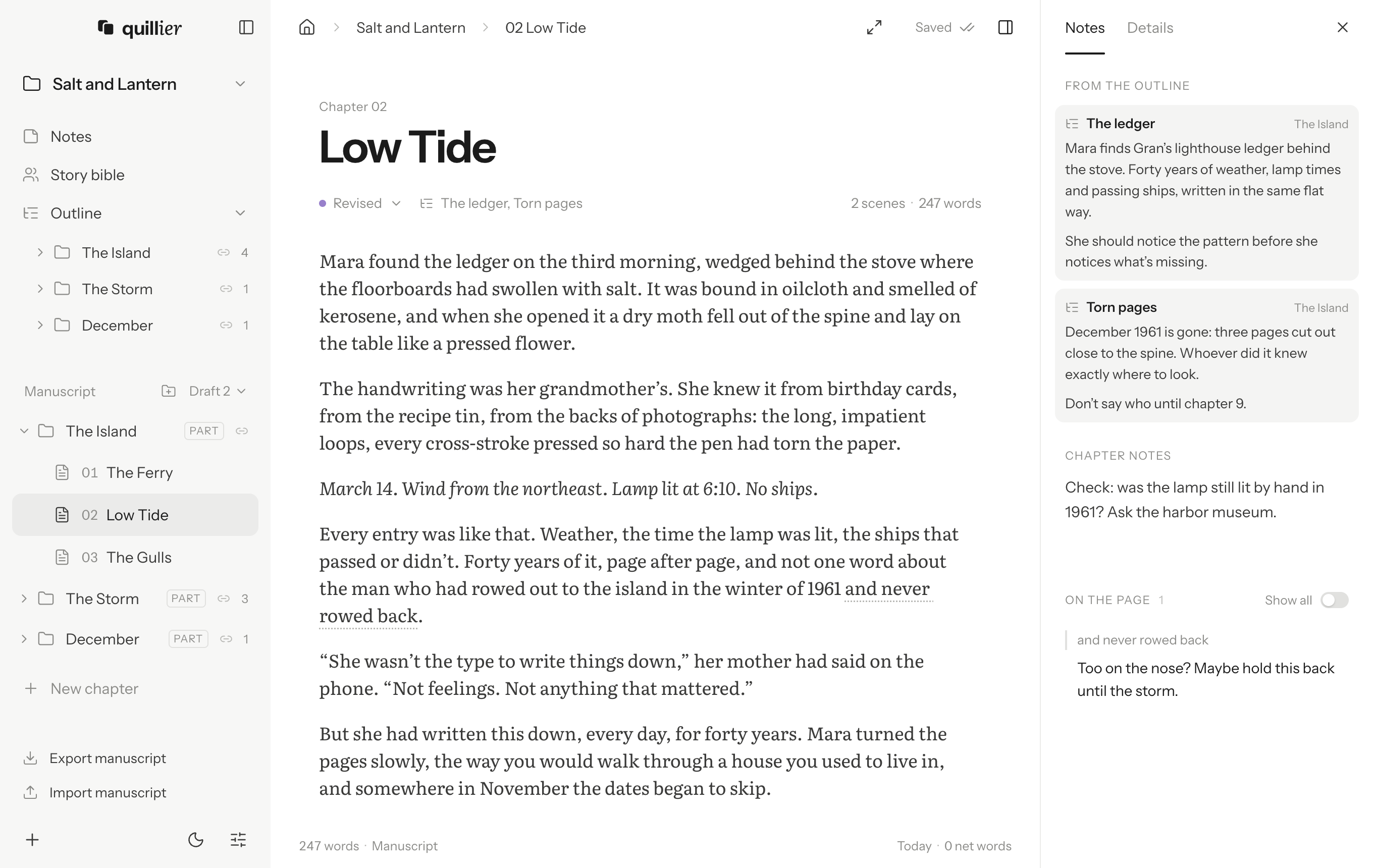
This chapter covers two beats in the outline, so what you planned for them sits beside it while you write. Focus mode hides everything but the page.
- 01The Ferry
- 02Low Tide
- 03The Gulls
- 04The Keeper’s Ledger
- 05Night Crossing
Folders and book parts
File chapters in folders, as deep as you like; the numbers run straight through. A folder marked as a book part opens with a “Part One” page in every export. Click a status to change it.
An outline linked to the book
Start blank, or from one of five structures, each beat explained and ready to write over. Outline folders can appear in the manuscript, and a chapter linked to its beats shows their notes as you write.
Notes on the text
Select a passage and leave yourself a note. It shows in the side panel and never ends up in your text.
- "Gran"
- “Gran”
- --
- —
- ...
- …
- 1/2
- ½
- (c)
- ©
Punctuation that fixes itself
Quotes curl, two hyphens become an em dash and three dots an ellipsis. Fractions and symbols are offered as you type.
Scenes inside chapters
Type three asterisks to break a chapter into scenes. Each one is listed with its opening words and length, a click away.
Dictation, when you’d rather talk
Click the microphone and say it. Dialogue gets its quotation marks, and “new paragraph” starts one. Nothing reaches the page until you click Finish. The speech model runs on your computer, after a one-time download.
Journals and notebooks, too
Keep a journal of dated entries, newest first, or a notebook of pages in folders for the research behind a book. The same quiet editor, saved the same way.